Showing posts with label Computer Graphics. Show all posts

Line Drawing Using Bresenham’s Algorithm in c program | CS1355-Graphics & Multimedia Lab

Friday, May 28, 2010

Normal you can draw line using line function. But in these Bresenhams without using line function. It will draw the line. it will draw the line using the pixel coordinates by thorough increasing down and right direction of the pixel in the centers to the integer coordinates. See SOURCE CODE
#include”stdio.h”

Source code | programming

#include<stdio.h>
#include<conio.h>
#include<graphics.h>
void main()
{
int gd=DETECT,gm,x,y,x1,x2,x3,y1,y2,y3,p,i;
clrscr();
initgraph(&gd,&gm,"quot;"quot;);
gotoxy(12,2);
printf("quot;Line Breshams algorithm\n"quot;);
gotoxy(12,3);
printf("quot;----------------------------------------"quot;);
printf("quot;\nenter the left co ordinates\n"quot;);
printf("quot;x1="quot;);
scanf("quot;%d"quot;,&x1);
printf("quot;\ny1= "quot;);
scanf("quot;%d"quot;,&y1);
printf("quot;Enter the right co ordinates\n"quot;);
printf("quot;x2= "quot;);
scanf("quot;%d"quot;,&x2);
printf("quot;\ny2= "quot;);
scanf("quot;%d"quot;,&y2);
if(x1>x2)
{
x=x2;
y=y2;
x3=x1-x2;
y3=y1-y2;
}
else
{
x=x1;
y=y1;
x3=x2-x1;
y3=y2-y1;
}
p=2*y3-x3;
cleardevice();
putpixel(x,y,1);
for(i=0;i<=x3;i++)
{
if(p<0)
{
x++;
p=p+2+y3;
}
else
{
x++;
y++;
p=p+2*(y3-x3);
}
putpixel(x,y,1);
}
getch();
gotoxy(12,2);
printf("quot;\nACTUAL LINE"quot;);
gotoxy(12,3);
printf("quot;\n--------------------------------------"quot;);
getch();
}

OUTPUT

Line Bresehams Algorithm
Enter the left co-ordinates
X1 = 100
Y1 = 100
Enter the right co-ordinates
X2 =200
Y2=200
ACTUAL LINE

Bresenhams Line Drawing Algorithm:

READ MORE - Line Drawing Using Bresenham’s Algorithm in c program | CS1355-Graphics & Multimedia Lab

Circle drawing using Bresenhams Algorithm In c program | CS1355-Graphics & Multimedia Lab

Without using circle function in graphics draw the circle. By using Bresenhams Algorithm draw the circle.These Circle algorithm is a variant of Bresenham’s line algorithm.The algorithm begin with circle formula .

x(2)+y(2)=r(2),x(2) repersent x square..,
See the source code
Source code C Language programming


#include<stdio.h>
#include<conio.h>
#include<graphics.h>
#include<math.h>
void cplot(int,int,int,int);
void main()
{
int gd=DETECT,gm;
int x,y,p,xc,yc,r;
initgraph(&gd,&gm,"");
cleardevice();
printf("x,y,r : ");
scanf("%d%d%d",&xc,&yc,&r);
x=0;y=r;
p=1-r;
cplot(xc,yc,x,y);
while(x<y)
{
x++;
if(p<0)
p+=2*x+1;
else
{
y--;
p+=2*(x-y)+1;
}
cplot(xc,yc,x,y);
}
getch();
}
void cplot(int xc,int yc,int x,int y)
{
putpixel(xc+x,yc+y,15);
putpixel(xc-x,yc+y,15);
putpixel(xc+x,yc-y,15);
putpixel(xc-x,yc-y,15);
putpixel(xc+y,yc+x,15);
putpixel(xc-y,yc+x,15);
putpixel(xc+y,yc-x,15);
putpixel(xc-y,yc-x,15);
}


OUTPUT
Bresenhams Circle Drawing Algorithm
Enter the center point of the circle:
X = 100
Y = 200
R = 50
Bresenhams Circle Drawing Algorithm in c program | Computer Graphics  Lap:

READ MORE - Circle drawing using Bresenhams Algorithm In c program | CS1355-Graphics & Multimedia Lab

Text compression in c program | computer graphics lab

Text compression is mainly used for reduce the file size. Text compression process Encoding information’s using fewer bits than an unencoded representation.

#include”stdio.h”
#include”conio.h”
#include”string.h”
int count=0,i,j,flag=0;
char n1[20],n2[20],ch,chh,a=':';
FILE *f1,*f2;
void enc()
{
while(!feof(f1))
{
fscanf(f1,"%s",n1);
for(i=0;i<=strlen(n1);i++)
{
ch=n1[i];
chh=n1[i+1];
if(ch==chh)
count++;
else
{
count++;
fprintf(f2,"%c%d",ch,count);
printf("%c%d",ch,count);
getch();
count=0;
}
}
fprintf(f2,"%c",a);
printf("%c",a);
}
fclose(f1);
fclose(f2);
}
void dec()
{
FILE *f;
f=fopen("o.txt","r");
while(!feof(f))
{
fscanf(f,"%c %d",&ch;,&count;);
if(ch==':')
{
printf("\n");
continue;
}
for(i=0;i
printf("%c",ch);
}
}
void main()
{
f1=fopen("bb.txt","r");
f2=fopen("o.txt","w");
clrscr();
puts("Uncompressed File\n");
enc();
puts("\nDecompressed File\n");
dec();
getch();
}

OUTPUT
INPUT FILE:

bb.txt:
o.txt:
U1d1h1a1y1a1
OUTPUT:
Uncompressed File

READ MORE - Text compression in c program | computer graphics lab

Ellipse Drawing using Midpoint Algorithm in c program | CS1355-Graphics & Multimedia Lab

Without using ellipse function in graphics draw the ellipse. By using Bresenhams algorithm .The main object in the algorithm is to perform analyse and manipulate linear equation so integer arithmetic is used in the calculations.Integer Arithmetic has the advantages of speed and precision; working with floating point values requires more time and it is difficult one and memory and such values would need to be rounded to integers anyway. In this article we assign the more difficult problem of approximating the plot of an ellipse on a grid of discrete pixels, using only
integer arithmetic.
Ellipse Drawing Algorithm in c program  computer graphics lab

Source code programming

#include<stdio.h>
#include<conio.h>
#include<graphics.h>
#include<math.h>
void disp();
float x,y;
int xc,yc;
void main()
{
int gd=DETECT,gm;
int a,b;
float p1,p2;
clrscr();
initgraph(&gd,&gm,"");
scanf("%d%d",&xc,&yc);
scanf("%d%d",&a,&b);
x=0;y=b;
disp();
p1=(b*b)-(a*a*b)+(a*a)/4;
while((2.0*b*b*x)<=(2.0*a*a*y))
{
x++;
if(p1<=0)
p1=p1+(2.0*b*b*x)+(b*b);
else
{
y--;
p1=p1+(2.0*b*b*x)+(b*b)-(2.0*a*a*y);
}
disp();
x=-x;
disp();
x=-x;
}
x=a;
y=0;
disp();
p2=(a*a)+2.0*(b*b*a)+(b*b)/4;
while((2.0*b*b*x)>(2.0*a*a*y))
{
y++;
if(p2>0)
p2=p2+(a*a)-(2.0*a*a*y);
else
{
x--;
p2=p2+(2.0*b*b*x)-(2.0*a*a*y)+(a*a);
}
disp();
y=-y;
disp();
y=-y;
}
getch();
closegraph();
}
void disp()
{
putpixel(xc+x,yc+y,10);
putpixel(xc-x,yc+y,10);
putpixel(xc+x,yc-y,10);
}


OUTPUT
Ellipse Drawing Algorithm
Enter the co-ordinates
Xc = 200
Yc = 200
A = 100
B = 70
Ellipse Drawing Algorithm in c program  computer graphics lab

READ MORE - Ellipse Drawing using Midpoint Algorithm in c program | CS1355-Graphics & Multimedia Lab

2 Dimensional Translation in C program | CS1355-Graphics & Multimedia Lab

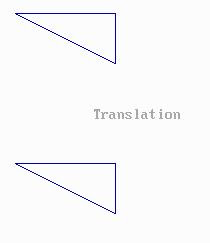
Translation is a simple straight line movement of the object in x and y direction. We define an image in coordinate system, to display that image Or object. Transformation is refer to transform from one position to another position depends upon there transformation it is classified into.Scaling.Shearing.Reflection.Rotation see the source code in C coding
Source code programming 2D TRANSFORMATION Coding


#include <stdio.h>
#include <stdlib.h>
#include<graphics.h>
#include<conio.h>
#include<math.h>
void draw2d(int,int [],int [],int,int);
void main()
{
int gd=DETECT,gm;
int x[20],y[20],tx=0,ty=0,i,fs;
initgraph(&gd,&gm,"");
printf("No of sides : ");
scanf("%d",&fs);
printf("Co-ordinates : ");
for(i=0;i<fs;i++)
{
printf("(x%d,y%d)",i,i);
scanf("%d%d",&x[i],&y[i]);
}
draw2d(fs,x,y,tx,ty);
printf("translation (x,y) : ");
scanf("%d%d",&tx,&ty);
draw2d(fs,x,y,tx,ty);
getch();
}
void draw2d(int fs,int x[20],int y[20],int tx,int ty)
{
int i;
for(i=0;i<fs;i++)
{
if(i!=(fs-1))
line(x[i]+tx,y[i]+ty,x[i+1]+tx,y[i+1]+ty);
else
line(x[i]+tx,y[i]+ty,x[0]+tx,y[0]+ty);
}
}
//# Author: J.Ajai
//#Mail-id- ajay.compiler@gmail.com
//# PH:+91-9790402155
OUTPUT
2D TRANSFORMATION
---------------------------------------------------
1.Translation
2.Scaling
3.Shearing
4.Reflection
5.Rotation
Enter your Choice :12D TRANSFORMATION  in c program  computer graphics lab
2D TRANSFORMATION
---------------------------------------------------
1.Translation

2.Scaling
3.Shearing
4.Reflection
5.Rotation
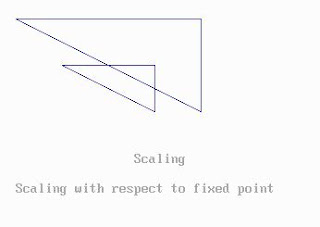
Enter your Choice :2

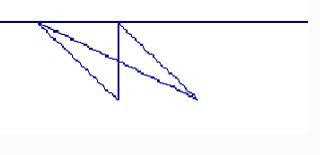
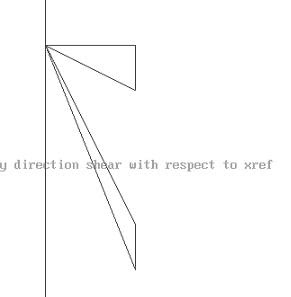
SEE THE FOLLOWING OUTPUT SCALING, SHEARING WITH 2 DIGARM(Shearing Y direction with respect to Xref &,Shearing x direction with respect to yref)
Source coding Output REFLECTION & ROTATION 2D TRANSFORMATION
2D TRANSFORKMATION  in c program  computer graphics lab

2D TRANSFORKMATION  in c program  computer graphics lab 2D TRANSFORKMATION  in c program  computer graphics lab 2D TRANSFORKMATION  in c program  computer graphics lab2D TRANSFORKMATION  in c program  computer graphics lab

READ MORE - 2 Dimensional Translation in C program | CS1355-Graphics & Multimedia Lab

3 Dimensional Translation in C program | CS1355-Graphics & Multimedia Lab

3 dimensional transformation it has three axis x,y,z.Depandting upon there coordinate it will perform there Translation ,Rotaion,Scaling, The translation can be performed by changing the sign of the translation components Tx, Ty, and Tz.

Source code programming
#include <stdio.h>
#include <stdlib.h>
#include<graphics.h>
#include<conio.h>
void draw3d(int fs,int x[20],int y[20],int tx,int ty,int d);
void draw3d(int fs,int x[20],int y[20],int tx,int ty,int d)
{
int i,j,k=0;
for(j=0;j<2;j++)
{
for(i=0;i<fs;i++)
{
if(i!=fs-1)
line(x[i]+tx+k,y[i]+ty-k,x[i+1]+tx+k,y[i+1]+ty-k);
else
line(x[i]+tx+k,y[i]+ty-k,x[0]+tx+k,y[0]+ty-k);
}
k=d;
}
for(i=0;i<fs;i++)
{
line(x[i]+tx,y[i]+ty,x[i]+tx+d,y[i]+ty-d);
}
}
void main()
{
int gd=DETECT,gm;
int x[20],y[20],tx=0,ty=0,i,fs,d;
initgraph(&gd,&gm,"");
printf("no of sides (front view only) : ");
scanf("%d",&fs);
printf("co-ordinates : ");
for(i=0;i<fs;i++)
{
printf("(x%d,y%d)",i,i);
scanf("%d%d",&x[i],&y[i]);
}
printf("Depth :");
scanf("%d",&d);
draw3d(fs,x,y,tx,ty,d);
printf("translation (x,y)");
scanf("%d%d",&tx,&ty);
draw3d(fs,x,y,tx,ty,d);
getch();
}


3D TRANSFORMATION in c program |  computer graphics lab

3D TRANSFORMATION in c program |  computer graphics lab

3D TRANSFORMATION in c program |  computer graphics lab

3D TRANSFORMATION in c program |  computer graphics lab

3D TRANSFORMATION in c program |  computer graphics lab

3D TRANSFORMATION in c program |  computer graphics lab
3D TRANSFORMATION in c program computer graphics lab
---------------------------------------------------
1.Translation
2.Rotation
3.Scaling
4.Exit
Enter your Choice :1
Enter the points 01: 288
Enter the points 10: 288
Enter the points 10: 258
Enter the points 11: 288
Enter the points 20: 258
Enter the points 21: 258
Enter the points 30: 288

READ MORE - 3 Dimensional Translation in C program | CS1355-Graphics & Multimedia Lab

Cohen Sutherland Line Clipping Algorithm in C Program | CS1355-Graphics & Multimedia Lab

Computer Graphics LC->line clipping algorithm is method of eliminate lines of outside area of the object .so outside of object viewing is removed .These line clipping was performed by the line function from graphics.h header file.
Source code programming


#include<stdio.h>
#include<conio.h>
#include<graphics.h>
#include<math.h>
void clip(float,float,float);
int i,j=0,n;
int rx1,rx2,ry1,ry2;
float x1[8],y1[8];
void main()
{
int gd=DETECT,gm;
int i,n;
float x[8],y[8],m;
clrscr();
initgraph(&gd,&gm,"");
printf("coordinates for rectangle : ");
scanf("%d%d%d%d",&rx1,&ry1,&rx2,&ry2);
printf("no. of sides for polygon : ");
scanf("%d",&n);
printf("coordinates : ");
for(i=0;i<n;i++)
{
scanf("%f%f",&x[i],&y[i]);
}
cleardevice();
outtextxy(10,10,"Before clipping");
outtextxy(10,470,"Press any key....");
rectangle(rx1,ry1,rx2,ry2);
for(i=0;i<n-1;i++)
line(x[i],y[i],x[i+1],y[i+1]);
line(x[i],y[i],x[0],y[0]);
getch();
cleardevice();
for(i=0;i<n-1;i++)
{
m=(y[i+1]-y[i])/(x[i+1]-x[i]);
clip(x[i],y[i],m);
}
clip(x[0],y[0],m);
outtextxy(10,10,"After clipping");
outtextxy(10,470,"Press any key....");
rectangle(rx1,ry1,rx2,ry2);
for(i=0;i<j-1;i++)
line(x1[i],y1[i],x1[i+1],y1[i+1]);
getch();
}
void clip(float e,float f,float m)
{
while(e<rx1 e>rx2 f<ry1 f>ry2)
{
if(e<rx1)
{
f+=m*(rx1-e);
e=rx1;
}
else if(e>rx2)
{
f+=m*(rx2-e);
e=rx1;
}
if(f<ry1)
{
e+=(ry1-f)/m;
f=ry1;
}
else if(f>ry2)
{
e+=(ry2-f)/m;
f=ry2;
}
x1[j]=e;
y1[j]=f;
j++;
}
}
//# Author: J.Ajai
//#Mail-id- ajay.compiler@gmail.com
//# PH:+91-9790402155
OUTPUT

Enter the x1 & y1 coordinates:
X1 : 70
Y1 : 80
Enter the x2 & y2 coordinates:
X2 : 250
Y2 : 280

Cohen Sutherland Line Clipping Algorithm  computer Graphics Lab

READ MORE - Cohen Sutherland Line Clipping Algorithm in C Program | CS1355-Graphics & Multimedia Lab

Program for Polygon Clipping Using c Program in Computer Graphics Lab –CS1353

#include<stdio.h>
#include<conio.h>
#include<graphics.h>
#include<math.h>
void clip(float,float,float);
int i,j=0,n;
int rx1,rx2,ry1,ry2;
float x1[8],y1[8];
void main()
{
int gd=DETECT,gm;
int i,n;
float x[8],y[8],m;
clrscr();
initgraph(&gd,&gm,"");
printf("coordinates for rectangle : ");
scanf("%d%d%d%d",&rx1,&ry1,&rx2,&ry2);
printf("no. of sides for polygon : ");
scanf("%d",&n);
printf("coordinates : ");
for(i=0;i<n;i++)
{
scanf("%f%f",&x[i],&y[i]);
}
cleardevice();
outtextxy(10,10,"Before clipping");
outtextxy(10,470,"Press any key....");
rectangle(rx1,ry1,rx2,ry2);
for(i=0;i<n-1;i++)
line(x[i],y[i],x[i+1],y[i+1]);
line(x[i],y[i],x[0],y[0]);
getch();
cleardevice();
for(i=0;i<n-1;i++)
{
m=(y[i+1]-y[i])/(x[i+1]-x[i]);
clip(x[i],y[i],m);
clip(x[i+1],y[i+1],m);
}
m=(y[i]-y[0])/(x[i]-x[0]);
clip(x[i],y[i],m);
clip(x[0],y[0],m);
outtextxy(10,10,"After clipping");
outtextxy(10,470,"Press any key....");
rectangle(rx1,ry1,rx2,ry2);
for(i=0;i<j-1;i++)
line(x1[i],y1[i],x1[i+1],y1[i+1]);
getch();
}
void clip(float e,float f,float m)
{
while(e<rx1 e>rx2 f<ry1 f>ry2)
{
if(e<rx1)
{
f+=m*(rx1-e);
e=rx1;
}
else if(e>rx2)
{
f+=m*(rx2-e);
e=rx2;
}
if(f<ry1)
{
e+=(ry1-f)/m;
f=ry1;
}
else if(f>ry2)
{
e+=(ry2-f)/m;
f=ry2;
}
}
x1[j]=e;
y1[j]=f;
j++;
}

Program for Polygon Clipping Using c Program in Computer Graphics Lab –CS1353

Program for Polygon Clipping Using c Program in Computer Graphics Lab –CS1353

Program for Polygon Clipping Using c Program in Computer Graphics Lab –CS1353

READ MORE - Program for Polygon Clipping Using c Program in Computer Graphics Lab –CS1353

3Dimensional Projection Front Top Side view images in c Visualize

Aim
To Draw and visualize 3D projection Fron view top view and side view using c program 3 Dimensional Projection in C program CS1355-Graphics & Multimedia Lab projections of 3D images.
Algorithm
Start the program 3D projection Images
Using for loop get the no of corrdiante of the 3D view
Using line funtion in graphics we draw the projection
Front view is draw by the following code
if(i!=fs-1)
line(x[i]+some constang value,y[i],x[i+1]+some constant value,y[i+1]);
else
line(x[i]+some constant value,y[i],x[0]+some constant value,y[0]);
in For loop
like that the other top view and side view is drawn by the line function
Finally terminate the 3 Dimensional image view in Front view,Top view and side view
Source code in C program for three dimensional Projection visualize projections of 3D images


#include <stdio.h>
#include <stdlib.h>
#include<graphics.h>
#include<conio.h>
void draw3d(int fs,int x[20],int y[20],int tx,int ty,int d);
void draw3d(int fs,int x[20],int y[20],int tx,int ty,int d)
{
int i,j,k=0;
for(j=0;j<2;j++)
{
for(i=0;i<fs;i++)
{
if(i!=fs-1)
line(x[i]+tx+k,y[i]+ty-k,x[i+1]+tx+k,y[i+1]+ty-k);
else
line(x[i]+tx+k,y[i]+ty-k,x[0]+tx+k,y[0]+ty-k);
}
k=d;
}
for(i=0;i<fs;i++)
{
line(x[i]+tx,y[i]+ty,x[i]+tx+d,y[i]+ty-d);
}
}
void main()
{
int gd=DETECT,gm;
int x[20],y[20],tx=0,ty=0,i,fs,d;
initgraph(&gd,&gm,"");
printf("No of sides (front view only) : ");
scanf("%d",&fs);
printf("Co-ordinates : ");
for(i=0;i<fs;i++)
{
printf("(x%d,y%d)",i,i);
scanf("%d%d",&x[i],&y[i]);
}
printf("Depth :");
scanf("%d",&d);
draw3d(fs,x,y,tx,ty,d);
getch();//front view
setcolor(14);
for(i=0;i<fs;i++)
{
if(i!=fs-1)
line(x[i]+200,y[i],x[i+1]+200,y[i+1]);
else
line(x[i]+200,y[i],x[0]+200,y[0]);
}
getch();//top view
for(i=0;i<fs-1;i++)
{
line(x[i],300,x[i+1],300);
line(x[i],300+d*2,x[i+1],300+d*2);
line(x[i],300,x[i],300+d*2);
line(x[i+1],300,x[i+1],300+d*2);
}
getch();//side view
for(i=0;i<fs-1;i++)
{
line(10,y[i],10,y[i+1]);
line(10+d*2,y[i],10+d*2,y[i+1]);
line(10,y[i],10+d*2,y[i]);
line(10,y[i+1],10+d*2,y[i+1]);
}
getch();
closegraph();
}
Output three dimensional proection front view top view side view in c program

3Dimensional prjection Front Top Side view images  in c visualize CS1355

READ MORE - 3Dimensional Projection Front Top Side view images in c Visualize

Color models convert between RGB Color in Computer Graphics

Aim
To implement the color models using c/c++ program RGB Color in C program CS1355-Graphics & Multimedia Lab
Algorithm
Start the program for Color Model
Include the necessary package
Get the character by through getche() function
Depends upon there key value increase there RGB range in appropriate rectangular box
Using the following function
setrgbpalette(1,R,G,B);
setfillstyle(1);

bar(x,y,x1,y2);
Rectangle(x1,y1,x2,y2);
Draw the color model
Finally terminate the color model program
Source code program in C using Graphics function for Color Model
#include<stdio.h>
#include<conio.h>
#include<graphics.h>
#include<stdlib.h>
void main()
{
int gd=DETECT,gm,n;
float r=0,g=0,b=0;
float y=0,i=0,q=0;
float c=0,m=0,y1=0;
initgraph(&gd,&gm,"");
printf("(r,g,b)keys for incrementing R,G,B values respectively\n");
printf("(shift+(r,g,b))keys for decrementing R,G,B values respectively\n");
printf("press esc to exit\n");
setcolor(15);
while(1)
{
gotoxy(18,10);
printf("R G B");
c=1.0-r;
m=1.0-g;
y1=1.0-y;
gotoxy(47,10);
printf("C M Y");
y=0.299*r+0.587*g+0.144*b;
i=0.596*r-0.275*g-0.3218*b;
q=0.212*r-0.528*g+0.311*b;
gotoxy(18,23);
printf("Y I Q");
switch(getche())
{
case 'r':
r++;
break;
case 'g':
g++;
break;
case 'b':
b++;
break;
case 'R':
r--;
break;
case 'G':
g--;
break;
case 'B':
b--;
break;
case 27:
closegraph();
exit(0);
}
if(r>255)
r=0;
if(g>255)
g=0;
if(b>255)
b=0;
setrgbpalette(1,r,g,b);
setfillstyle(1,1);
bar(50,50,270,250);
rectangle(50,50,270,250);
setrgbpalette(2,c,m,y1);
setfillstyle(1,2);
bar(275,50,495,250);
rectangle(275,50,495,250);
setrgbpalette(3,y,i,q);
setfillstyle(1,3);
bar(50,255,270,455);
rectangle(50,255,270,455);
}
}


Output color model in RGB color Red, Green Blue

Color models convert between RGB Color in Computer Graphics

READ MORE - Color models convert between RGB Color in Computer Graphics

Different Fill Type C program in Computer Graphics

Aim
To draw the Different Fill type in C program using Graphics Function CS1355-Graphics & Multimedia Lab
Algorithm
Start the Fill type program
Include the necessary c header files
Declare the fill types name in fname
Using fill type and setcolor function to draw the program
Finally terminate the fill type program
Source code in Program c for different fill types
#include <graphics.h>
#include <stdlib.h>
#include <string.h>
#include <stdio.h>
#include <conio.h>
void main()
{
int gd=DETECT,gm;
int s;
char *fname[] = { "EMPTY FILL","SOLID FILL","LINE FILL",
"LTSLASH FILL","SLASH FILL","BKSLASH FILL",
"LTBKSLASH FILL","HATCH FILL",
"XHATCH FILL","INTERLEAVE FILL",
"WIDE DOT FILL","CLOSE DOT FILL","USER FILL"
};
initgraph(&gd,&gm," ");
clrscr();
cleardevice();
for (s=0;s<13;s++)
{
setfillstyle(s,2);
setcolor(14);
rectangle(149,9+s*30,251,31+s*30);
bar(150,10+s*30,250,30+s*30);
outtextxy(255,20+s*30,fname[s]);
}
getch();
closegraph();
}

Output of the Program in C

Different Fill Type C program in Computer Graphics

READ MORE - Different Fill Type C program in Computer Graphics

Different Line type in Computer graphics in C program

Aim
To draw the different line type in c program C program CS1355-Graphics & Multimedia Lab
Algorithm
Start the program for line type
Include the necessary package
Declare the line type in lname character
Using setline style and line function to draw the different line function
Finally terminate the function
Source code in C program


#include <graphics.h>
#include <stdlib.h>
#include <string.h>
#include <stdio.h>
#include <conio.h>
void main()
{
int gd=DETECT,gm;
int s;
char *lname[]={"SOLID LINE","DOTTED LINE","CENTER LINE",
"DASHED LINE","USERBIT LINE"};
initgraph(&gd,&gm," ");
clrscr();
cleardevice();
printf("Line styles:");
for (s=0;s<5;s++)
{
setlinestyle(s,1,3);
line(100,30+s*50,250,250+s*50);
outtextxy(255,250+s*50,lname[s]);
}
getch();
closegraph();
}


Output

Different Line type in Computer graphics in C program

READ MORE - Different Line type in Computer graphics in C program

Two Dimensional Transformations Algorithm |Computer Graphics Translate In C++

In this 2D Transformation it will perform Translation, scaling, Rotation, shearing Reflection. In these source code it has separate function for there operation example translation it has the function name translation().

Source code for translation Algorithm C Programming


#include<stdio.h>
#include<conio.h>
#include<math.h>
#include<graphics.h>
int x1,y1,x2,y2;
void translation()
{
int tx,ty,xn1,xn2,yn1,yn2;
printf("Enter the Translation Vector:");
scanf("%d\n%d",&tx,&ty);
cleardevice();
outtextxy(400,100,"TRANSLATION");
xn1=x1+tx;
yn1=y1+ty;
xn2=x2+tx;
yn2=y2+ty;
line(x1,y1,x2,y2);
line(xn1,yn1,xn2,yn2);
getch();
}
void scaling()
{
int xn1,yn1,xn2,yn2;
float sx,sy;
printf("Enter the Sacling Factor:");
scanf("%f\n%f",&sx,&sy);
cleardevice();
outtextxy(300,200,"SCALING");
xn1=x1*sx;
yn1=y1*sy;
xn2=x2*sx;
yn2=y2*sy;
line(x1,y1,x2,y2);
line(xn1,yn1,xn2,yn2);
getch();
}
void rotation()
{
int r;
float rx,xn1,yn1,xn2,yn2;
printf("Enter the Angle for Rotation:");
scanf("%d",&r);
cleardevice();
outtextxy(500,200,"ROTATION");
rx=(r*3.14)/180;
xn1=x1*cos(rx)-y1*sin(rx);
yn1=y1*cos(rx)+x1*sin(rx);
xn2=x2*cos(rx)-y2*sin(rx);
yn2=y2*cos(rx)+x2*sin(rx);
line(x1,y1,x2,y2);
line(xn1,yn1,xn2,yn2);
getch();
}
void shearing()
{
int sh;
float xn1,yn1,xn2,yn2;
printf("Enter the value of Shearing");
scanf("%d",&sh);
cleardevice();
outtextxy(500,100,"SHEARING");
xn1=x1+sh*y1;
yn1=y1;
xn2=x2+sh*y2;
yn2=y2;
line(x1,y1,x2,y2);
line(xn1,yn1,xn2,yn2);
getch();
}
void reflection()
{
int xn1,yn1,xn2,yn2;
cleardevice();
outtextxy(300,100,"REFLECTION");
if((x1<y1)^(x2<y2))
{
xn1=x1+50;
xn2=x2+50;
yn1=y1;
yn2=y2;
}
else
{
xn1=x1;
xn2=x2;
yn1=y1+50;
yn2=y2+50;
}
line(x1,y1,x2,y2);
line(xn1,yn1,xn2,yn2);
getch();
}
void get()
{
int xn1,yn1,xn2,yn2;
printf("Enter the Co-ordinates x1,y1,x2,y2:");
scanf("%d\n%d\n%d\n%d\n",&x1,&y1,&x2,&y2);
cleardevice();
outtextxy(200,100,"ORIGINAL OBJECT");
line(x1,y1,x2,y2);
line(xn1,yn1,xn2,yn2);
getch();
}
void main()
{
int ch,gd=DETECT,gm;
initgraph(&gd,&gm,"C:/tc/bgi");
get();
do
{
cleardevice();
outtextxy(10,10,"1.Translation");
outtextxy(10,20,"2.Scaling");
outtextxy(10,30,"3.Rotation");
outtextxy(10,40,"4.Shearing");
outtextxy(10,50,"5.Reflection");
outtextxy(10,60,"6.Exit");
outtextxy(10,70,"Enter Your Choice:");
scanf("%d",&ch);
switch(ch)
{
case 1:
{
translation();
break;
}
case 2:
{
scaling();
break;
}
case 3:
{
rotation();
break;
}
case 4:
{
shearing();
break;
}
case 5:
{
reflection();
break;
}
case 6:
{
exit(0);
break;
}
}
}
while(ch<6);
}
Output Algorithm 2D Transformation CS1355-Graphics and Multimedia Lab
Translation, scaling, Rotation, shearing Reflection,
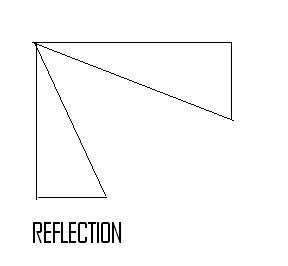
Two Dimensional Transformations Algorithm
Two Dimensional Transformations Algorithm Translation, scaling, Rotation, shearing Reflection

READ MORE - Two Dimensional Transformations Algorithm |Computer Graphics Translate In C++

Cohen Sutherland 2-Dimensional Line Clipping Algorithm CS1355-Graphics and Multimedia Lab

These source code contain the following important function clips clip clip.input() clearviewport() clip.call() by using these function it will draw the line clipping these called Cohen Sutherland line clipping . These cohen Sutherland 2D Line clipping algorithm was generate in c++ program source code
Source Code Line clipping algorithm CS1355-Graphics and Multimedia Lab


#include<iostream.h>
#include<conio.h>
#include<graphics.h>
#include<dos.h>
#include<math.h>
class clips
{
private:
int x1[10],y1[10],x2[10],y2[10],xmin,ymin,xmax,ymax,n,i,a1[5], b1[5],c1[5],d1[5],a2[5],b2[5],c2[5],d2[5],j,l,m,x,y;
public:
void input();
void call();
};
void clips::input()
{
cout<<"Enter the values of Windows:\n";
cin>>xmin>>ymin>>xmax>>ymax;
rectangle(xmin,ymin,xmax,ymax);
cout<<"Enter the No: of Lines:\n";
cin>>n;
cout<<"Enter the Line Co-ordinate one by one\n";
for(i=1;i<=n;i++)
{
cin>>x1[i]>>y1[i]>>x2[i]>>y2[i];
line(x1[i],y1[i],x2[i],y2[i]);
}
getch();
}
void clips::call()
{
cout<<"The Clipped Image";
rectangle(xmin,ymin,xmax,ymax);
for(i=1;i<=n;i++)
{
if(x1[i]>xmin)
{
a1[i]=0;
}
else
{
a1[i]=1;
}
if(x1[i]<xmax)
{
b1[i]=0;
}
else
{
b1[i]=1;
}
if(y1[i]>ymin)
{
c1[i]=0;
}
else
{
c1[i]=1;
}
if(y1[i]<ymax)
{
d1[i]=0;
}
Else
{
d1[i]=0;
}
if(x2[i]>xmin)
{
a2[i]=0;
}
else
{
a2[i]=1;
}
if(x2[i]<xmax)
{
b2[i]=0;
}
else
{
b2[i]=1;
}
if(y2[i]>ymin)
{
c2[i]=0;
}
else
{
c2[i]=1;
}
if(y2[i]<ymax)
{
d2[i]=0;
}
else
{
d2[i]=1;
}
if(a1[i]==0&&b1[i]==0&&c1[i]==0&&d1[i]==0&&a2[i]==0&&b2[i]==0
&&c2[i]==0&&d2[i]==0)
{
line(x1[i],y1[i],x2[i],y2[i]);
}
else if(((a1[i]&&b1[i]&&c1[i]&&d1[i]==1))&&((a1[i]&&b2[i]&&c2[i]
&&d2[i]==1)))
{
cout<<" ";
}
else
{
j=y2[i]-y1[i];
l=x2[i]-x1[i];
m=j/l;
if(a1[i]==0&&b1[i]==0&&c1[i]==0&&d1[i]==0)
{
if(x2[i]<xmin)
{
x=xmin;
y=y1[i]+(m*(xmin-x1[i]));
}
else if(x2[i]>xmax)
{
x=xmax;
y=y1[i]+(m*(xmax-x1[i]));
}
else if(y2[i]<ymin)
{
y=ymin;
x=x1[i]+((ymin-y1[i])/m);
}
else if(y2[i]>ymax)
{
y=ymax;
x=x1[i]+((ymax-y1[i])/m);
}
line(x,y,x1[i],y1[i]);
}
else if(a2[i]==0&&b2[i]==0&&c2[i]==0&&d2[i]==0)
{
if(x1[i]<xmin)
{
x=xmin;
y=y1[i]+(m*(xmin-x1[i]));
}
else if(x1[i]>xmax)
{
x=xmax;
y=y1[i]+(m*(xmax-x1[i]));
}
else if(y1[i]<ymin)
{
y=ymin;
x=x1[i]+((ymin-y1[i])/m);
}
else if(y1[i]>ymax)
{
y=ymax;
x=x1[i]+((ymax-y1[i])/m);
}
line(x,y,x2[i],y2[i]);
}
}
}
}
void main()
{
int gd=DETECT,gm;
initgraph(&gd,&gm,"C:/tc/bgi");
clips clip;
clip.input();
delay(10);
clearviewport();
clip.call();
getch();
closegraph();
}


Line clipping algorithm in C++ output
Cohen Sutherland 2-Dimensional Line Clipping

READ MORE - Cohen Sutherland 2-Dimensional Line Clipping Algorithm CS1355-Graphics and Multimedia Lab

Ellipse Drawing Algorithm in C++ Program Using Midpoint CS1355-Graphics and Multimedia Lab

Ellipse drawing algorithm is drawn by there plot ellipse function in these program.
Plot ellipse function all the variable is passed by the float variable. And the final a1 data variable is find and declare by the long data variable .I also use the other method to draw the ellipse drawing using mid point algorithm see that program and source code ellipse drawing algorithm.There header files are iostream.h conio.h graphics.h math.h stdlib.h stdio.h
Source code in c++ Language Programming For ellipse drawing algorithm


#include<iostream.h>
#include<conio.h>
#include<graphics.h>
#include<math.h>
#include<stdlib.h>
#include<stdio.h>
void plotellipse(float,float,float,float);
class ellip
{
private:
float a,b,xc,yc,x,y,h,v,k;
public:
void getdata();
void plot();
};
void ellip::getdata()
{
cout<<"Enter the value for a and b:";
cin>>a>>b;
}
void ellip::plot()
{
xc=getmaxx()/2;
yc=getmaxy()/2;
line(0,yc,xc*2,yc);
line(xc,0,xc,yc*2);
for(k=0;k<360;k++)
{
h=a*cos((k*3.14)/180);
v=b*sin((k*3.14)/180);
x=h;
y=v;
plotellipse(xc,yc,x,y);
}
}
void main()
{
ellip p;
int gd=DETECT,gm;
initgraph(&gd,&gm,"C:/tc/bgi");
cleardevice();
gotoxy(2,2);
p.getdata();
settextstyle(2,0,8);
outtextxy(325,5,"ELLIPSE");
p.plot();
getch();
closegraph();
}
void plotellipse(float xc,float yc,float x,float y)
{
int i,j;
long a1,a2;
getaspectratio(&i,&j);
a1=(long)x*(long)j/(long)i;
a2=(a1);
putpixel(xc+a2,yc+y,15);
putpixel(xc-a2,yc+y,15);
putpixel(xc+a2,yc-y,15);
putpixel(xc-a2,yc-y,15);
}
Output of Ellipse Drawing Algorithm CS1355-Graphics and Multimedia Lab
Ellipse Drawing Algorithm in C++ Program Using Midpoint CS1355-Graphics and Multimedia Lab

READ MORE - Ellipse Drawing Algorithm in C++ Program Using Midpoint CS1355-Graphics and Multimedia Lab

Bresenhams Circle Drawing Algorithm in c++ language programming

Using outtextxy and putpixel function in graphics function it will draw the Breshenhams circle drawing algorithm. Putpixel and outtextxy they two have the three arguments using these argument it will draw the circle
Source code for Bresenhams circle drawing algorithm CS1355-Graphics and Multimedia Lab
#include<iostream.h>
#include<graphics.h>
#include<conio.h>
#include<math.h>
#include<dos.h>
#include<stdlib.h>
#include<stdio.h>
class mycircle
{
private:
int x,y,r,d,x1,y1;
public:
mycircle();
void showcircle();
}
mycircle::mycircle()
{
x=0,y=0;
cout<<"Enter the Co-ordinates of Circle:";
cin>>x>>y;
cout<<"Enter the Radius of the Circle:";
cin>>r;
}
void mycircle::showcircle()
{
char *s;
x1=0,y1=r;
d=3-2*r;
while(x1<=y1)
{
putpixel((x+x1+320),(y+y1+240),5);
putpixel((x-x1+320),(y+y1+240),5);
putpixel((x+x1+320),(y-y1+240),5);
putpixel((x-x1+320),(y-y1+240),5);
putpixel((x+y1+320),(y+x1+240),5);
putpixel((x-y1+320),(y+x1+240),5);
putpixel((x+y1+320),(y-x1+240),5);
putpixel((x-y1+320),(y-x1+240),5);
if(d<0)
{
d+=4*x1+6;
}
else
{
d+=4*(x1-y1)+10;
y1--;
}
x1++;
}
setcolor(5);
outtextxy(318+x,235+y," ");
setcolor(15);
sprintf(s,"Center(%d,%d)",x,y);
outtextxy(20,10,"The Center is at:");
outtextxy(20,20,s);
sprintf(s,"Radius=%d",r);
outtextxy(20,30,s);
getch();
}
void main()
{
int gd=DETECT,gm,i,j,xx=190,xxx=480;
clrscr();
mycircle a;
char *mess[]={"b","r","e","s","e","n","h","a","m","s","c","i","r","c","l","e","a","l","g",
"o","r","i","t","h","m"};
initgraph(&gd,&gm,"C:/tc/bgi");
cleardevice();
rectangle(120,40,320,240);
rectangle(320,40,520,240);
rectangle(120,240,320,440);
rectangle(320,240,520,440);
for(i=0,j=27;i<16,j<=14;i++,j--)
{
xx+=10;
outtextxy(xx,10,mess[i]);
xxx-=10;
outtextxy(xxx,10,mess[j]);
delay(100);
}
for(i=130;i<=510;i+=10)
for(j=50;j<=430;j+=10)
putpixel(i,j,15);
for(i=130;i<510;i+=10)
{
if(i==320)
{
continue;
}
outtextxy(i,237,"+");
}
for(i=50;i<=430;i+=10)
{
if(i==240)
{
continue;
}
outtextxy(317,i,"-");
}
outtextxy(310,230,"o");
outtextxy(530,240,"x");
outtextxy(320,450,"-y");
outtextxy(100,240,"-x");
outtextxy(320,30,"y");
a.showcircle();
closegraph();
}
Output for Bresenhams Circle Drawing Algorithm CS1355-Graphics and Multimedia Lab
Bresenhams Circle Drawing Algorithm

READ MORE - Bresenhams Circle Drawing Algorithm in c++ language programming

Visualization of 3-Dimensional Images Algorithm

These Program is draw the three dimensional image using bard3d graphics function. using maxx=getmaxx();
maxy=getmaxy(); it will get the center of the coordinate using these coordinate it will draw the three dimensional visualization image
Source code three Dimensional Image algorithm


#include<stdio.h>
#include<conio.h>
#include<graphics.h>
#include<math.h>
int maxx,maxy,midx,midy;
void axis()
{
getch();
cleardevice();
line(midx,0,midx,maxy);
line(0,midy,maxx,midy);
}
void main()
{
int gd,gm,x,y,z;
clrscr();
detectgraph(&gd,&gm);
initgraph(&gd,&gm,"c:/tc/bgi");
setfillstyle(0,getmaxcolor());
maxx=getmaxx();
maxy=getmaxy();
midx=maxx/2;
midy=maxy/2;
bar3d(midx-250,midy+150,midx-150,midy+225,20,4);
printf("\nEnter the Perspective Projection Vector");
scanf("%d%d%d",&x,&y,&z);
bar3d(midx-(x*5),midy-(y*9),midx-(x*3),midy-(y*5),10*z,4);
getch();
closegraph();
}
3-Dimensional Images Algorithm OUTPUT
Visualization of 3-Dimensional Images Algorithm

READ MORE - Visualization of 3-Dimensional Images Algorithm

Three Dimensional Transformation Algorithms in c Language Programming

These 3d dimesional Transformation algorithm was draw by the mathematical calculation using sin and cos function in Math.h header file using bar3d function in Graphics header file.And it will perform After the scaling Operation in x-axis y-axis z-axis.In these three dimensional it show the translation effect
You can see also there another type of program
Source code 3D transformation algorithm Source code in C Language programming


#include<stdio.h>
#include<conio.h>
#include<graphics.h>
#include<math.h>
int maxx,maxy,midx,midy;
void axis()
{
getch();
cleardevice();
line(midx,0,midx,maxy);
line(0,midy,maxx,midy);
}
void main()
{
int gd,gm,x,y,z,o,x1,x2,y1,y2;
detectgraph(&gd,&gm);
initgraph(&gd,&gm,"c:/tc/bgi");
setfillstyle(0,getmaxcolor());
maxx=getmaxx();
maxy=getmaxy();
midx=maxx/2;
midy=maxy/2;
axis();
bar3d(midx+50,midy-100,midx+60,midy-90,5,1);
printf("\nEnter the Translation Factor");
scanf("%d%d",&x,&y);
axis();
printf("\nAfter Translation");
bar3d(midx+50,midy-100,midx+60,midy-90,5,1);
bar3d(midx+x+50,midy-(y+100),midx+x+60,midy-(y+90),5,1);
axis();
bar3d(midx+50,midy-100,midx+60,midy-90,5,1);
printf("\nEnter the Scaling Factor");
scanf("%d%d%d",&x,&y,&z);
axis();
printf("\nAfter Scaling");
bar3d(midx+50,midy-100,midx+60,midy-90,5,1);
bar3d(midx+(x*50),midy-(y*100),midx+(x*60),midy-(y*90),5*z,1);
axis();
bar3d(midx+50,midy-100,midx+60,midy-90,5,1);
printf("\nEnter the Rotating Angle");
scanf("%d",&o);
x1=50*cos(o*3.14/180)-100*sin(o*3.14/180);
y1=50*sin(o*3.14/180)+100*cos(o*3.14/180);
x2=60*cos(o*3.14/180)-90*sin(o*3.14/180);
y2=60*sin(o*3.14/180)+90*cos(o*3.14/180);
axis();
printf("\nAfter Rotating about Z-axis");
bar3d(midx+50,midy-100,midx+60,midy-90,5,1);
bar3d(midx+x1,midy-y1,midx+x2,midy-y2,5,1);
axis();
printf("\nAfter rotating about X-axis");
bar3d(midx+50,midy-100,midx+60,midy-90,5,1);
bar3d(midx+50,midy-x1,midx+60,midy-x2,5,1);
axis();
printf("\nAfter rotating about Y-axis");
bar3d(midx+50,midy-100,midx+60,midy-90,5,1);
bar3d(midx+x1,midy-100,midx+x2,midy-90,5,1);
getch();
closegraph();
}
OUTPUT 3D transformation algorithm Computer Graphics CS1355-Graphics and Multimedia Lab
Output for translation scaling translation in X-axis Y-axis and z-axis
Visualization of 3-Dimensional Images Algorithm
Visualization of 3-Dimensional Images Algorithm After Translation
Visualization of 3-Dimensional Images Algorithm Scaling
Visualization of 3-Dimensional Images Algorithm
Visualization of 3-Dimensional Images Algorithm in Z Axiz

READ MORE - Three Dimensional Transformation Algorithms in c Language Programming

RGB TO HSV Color Model Color Model Source Code Algorithm C Programming CS1355-Graphics And Multimedia Lab

This is reverse programming for the HSV to RGB. It is use the mathematical algorithm for performing color model conversion ant there all the value are represent as Float data types.
Source code for RGB TO HSV Color Modelin C language programming


#define MIN(a,b)(a<b?a:b)
#define MAX(a,b)(a>b?a:b)
#define NO_HUE-1
void rgbtohsv(float r,float g,float b)
{
float *h;
float *s;
float *v;
float max=MAX(r,MAX(g,b));
float min=MIN(r,MIN(g,b));
float delta=max-min;
*v=max;
if(max!=0.0)
{
*s=delta/max;
}
else
{
*s=0.0;
}
if (*s==0.0)
{
*h=NO_HUE;
}
else
{
if(r==max)
{
*h=(g-b)/delta;
}
else if(g==max)
{
*h=2+(b-r)/delta;
}
else if(b==max)
{
*h=4+(r-g)/delta;
*h*=60.0;
if(*h<0)*h+=360.0;
*h/=360.0;
}
}
printf("The HSV values are:\nH=%f\nS=%f\nV=%f",*h,*s,*v);
}
void main()
{
float a,b,c;
clrscr();
printf("Enter the RGB Values");
scanf("%f%f%f",&a,&b,&c);
printf(“The HSV Values are:”);
rgbtohsv(a,b,c);
getch();
}

READ MORE - RGB TO HSV Color Model Color Model Source Code Algorithm C Programming CS1355-Graphics And Multimedia Lab

WINDOW – VIEW PORT MAPPING algorithm Source code C Language Programming

Window view port mapping is draw by the graphics function using rectangle and line function. There rectangle and line has four argument there are declare as the Float data variable.
Source code Window-View Port Mapping

#include<stdio.h>
#include<conio.h>
#include<graphics.h>
#include<math.h>
main()
{
float sx,sy;
int w1,w2,w3,w4,x1,x2,x3,x4,y1,y2,y3,y4,v1,v2,v3,v4;
int gd=DETECT,gm;
initgraph(&gd,&gm,"C:/tc/bgi");
printf("Enter the Co-ordinates x1,y1,x2,y2,x3,y3\n");
scanf("%d%d%d%d%d%d",&x1,&y1,&x2,&y2,&x3,&y3);
cleardevice();
w1=5;
w2=5;
w3=635;
w4=465;
rectangle(w1,w2,w3,w4);
line(x1,y1,x2,y2);
line(x2,y2,x3,y3);
getch();
v1=425;
v2=75;
v3=550;
v4=250;
sx=(float)(v3-v1)/(w3-w1);
sy=(float)(v4-v2)/(w4-w2);
rectangle(v1,v2,v3,v4);
x1=v1+floor(((float)(x1-w1)*sx)+0.5);
x2=v1+floor(((float)(x2-w1)*sx)+0.5);
x3=v1+floor(((float)(x3-w1)*sx)+0.5);
y1=v2+floor(((float)(y1-w2)*sy)+0.5);
y2=v2+floor(((float)(y2-w2)*sy)+0.5);
y3=v2+floor(((float)(y3-w2)*sy)+0.5);
line(x1,y1,x2,y2);
line(x2,y2,x3,y3);
line(x3,y3,x1,y1);
getch();
return 0;
}
Output of the window View Port
CS1355-Graphics and Multimedia Lab
WINDOW – VIEW PORT MAPPING algorithm Source code C Language Programming

READ MORE - WINDOW – VIEW PORT MAPPING algorithm Source code C Language Programming


Labels

Labels

Labels